What you'll learn
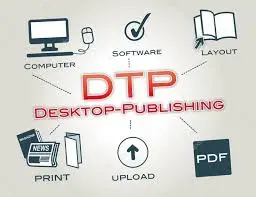
DTP stands for Desktop Publishing, the process of using a personal computer and specialized software to create and design documents that combine text, images, and graphics for professional-looking print or digital output, like books, magazines, brochures, and newsletters, replacing traditional typesetting and offering greater control over layout and visual appeal.
Key Aspects of DTP:
- Software: Uses programs like Adobe InDesign, QuarkXPress, or even features within word processors (MS Word).
- Components: Integrates text (typed, placed, or linked), images (scanned or imported), charts, and other graphics.
- Control: Offers precise control over page layout, typography, color, and image placement.
- Output: Produces high-quality physical materials (books, flyers) or digital documents (e-books, PDFs).
- Benefits: Saves time and cost by bringing layout and design in-house, allowing authors/designers greater visual impact.
Common DTP Applications:
- Newsletters, Posters, Brochures
- Books, Magazines, E-books
- Resumes, Reports, Catalogs
- Web Pages, Banners, Leaflets
How it Works:
Users combine different elements (text, images) on a digital page, format them using style sheets (for fonts, colors), set text flow (wraparound), and then output the design for printing or digital distribution.
Show More
Course Syllabus
Core Modules
- Introduction to DTP: Definition, history, importance, and applications in publishing.
- Design Fundamentals: Principles of design (line, shape, color, texture), layout, composition, and typography basics (fonts, kerning, leading).
- Color Theory: CMYK vs. RGB, color harmony, psychology, and application.
- Image Editing: Raster vs. Vector, file formats (JPG, PNG, TIFF), resolution, basic editing (cropping, retouching) in tools like Photoshop.
- Page Layout: Setting up documents, master pages, text flow, managing layers, and templates.
- Word Processing: MS Word/Writer for basic formatting, tables, headers/footers.
Key Software Skills
- Adobe InDesign: Creating multi-page documents, text flow, styles, master pages.
- Adobe Photoshop: Image manipulation, retouching, layers, filters, creating composites.
- CorelDRAW: Vector graphics, shape drawing, text on paths, special effects (PowerClip, Contour).
- Adobe PageMaker (Older): Page setup, text & graphics handling, mail merge, templates (often included in older syllabi).
- Canva/Online Tools: Modern quick-design options.
Advanced & Related Topics
- Web Design Basics: Introduction to Dreamweaver, HTML/CSS (in some courses).
- Printing & Publishing: Printer settings, paper sizes, offset vs. digital printing, file preparation.
- Bilingual Publishing: Working with different scripts and keyboards (e.g., Hindi).
Practical Applications
- Designing Business Cards, Brochures, Magazines, Flyers.
- Creating Logos, Photo Montages, Advertisements.
- Preparing final files for commercial printing.

 Bestseller